Smart URL Rules
Route links by domain, wildcard patterns like *.figma.com, or full URLs. Active/inactive toggle per rule.
macOS · Native · Free
Ruto routes URLs to Safari, Chrome, Arc, Firefox, and more. Import bookmarks as starter rules, match links automatically, or pick a browser when you choose. Lives in the menu bar and stays out of Cmd+Tab while links open.
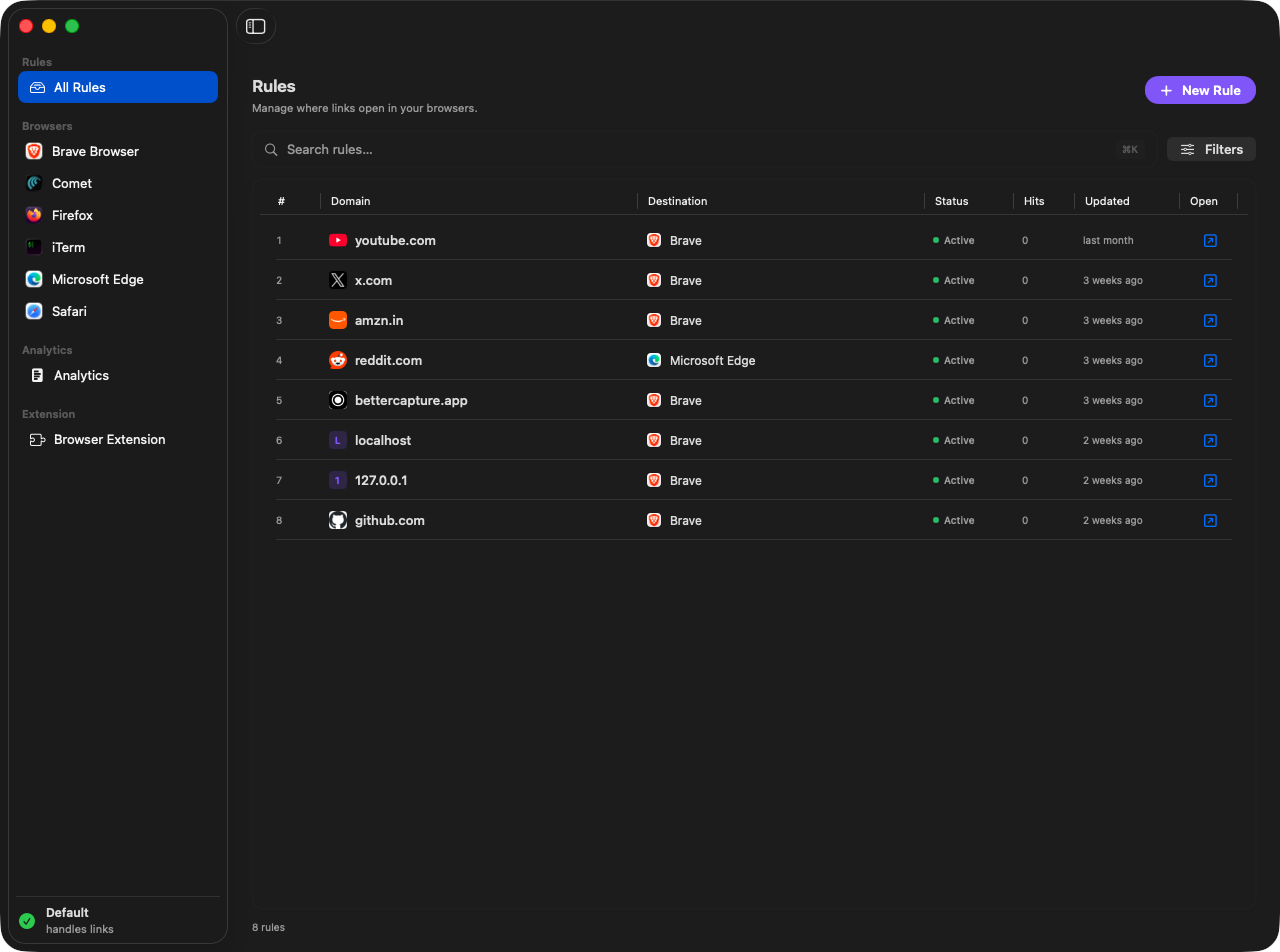
Everything you need to control where links open: rules, bookmark import, automatic updates, picker, profiles, analytics, and more.
Route links by domain, wildcard patterns like *.figma.com, or full URLs. Active/inactive toggle per rule.
Seed your rules from Chrome, Brave, Edge, Arc, Firefox, or Safari. Bookmarks become domain rules per browser. Review conflicts and pick what to import before anything is saved.
When no rule matches, a native dock-style overlay lets you pick Safari, Chrome, Arc, Firefox, Brave, or Edge, with remember choice.
Open links in specific Chromium profiles (Chrome, Brave, Edge, Arc). Route to private/incognito windows per rule or from the picker.
Search, filter by browser or status, and edit rules in a master-detail inspector. See hit counts inline.
Local-only insights: total opens, unique opens, top rules, browser breakdown, and trend charts. Today, 7 days, 30 days, or custom range.
Browse rules by browser from the sidebar. Same search, filters, hit counts, and inspector editing as the All Rules view.
Detect installed browsers with icons. Set Ruto as default to intercept links, or sync when macOS default changes externally.
Analytics stay on your Mac. Bridge token auth for the browser extension. No cloud account required.
Sparkle-powered updates with signed releases. Check manually from Settings or the menu bar, or enable background checks so Ruto stays current without reinstalling.
Open at login, light/dark/system theme, and local analytics controls. Everything lives in a native Settings window alongside update preferences.
Opens, rules, and a 7-day chart live next to the clock. Open your top rules in their assigned browser without launching the full window.
Ruto stays in the menu bar while links route. It does not jump into the app switcher every time you click a link in Slack or Mail.
Your five most-used rules sit in the menu bar. Click one to open that site in its assigned browser, or pause it without opening Ruto.
Menu bar
Click the Ruto icon for a dashboard of opens, a 7-day chart, top browsers, and your five most-used rules. Open a site in its assigned browser, jump to analytics, or check for Sparkle updates, without a Dock icon in the way.
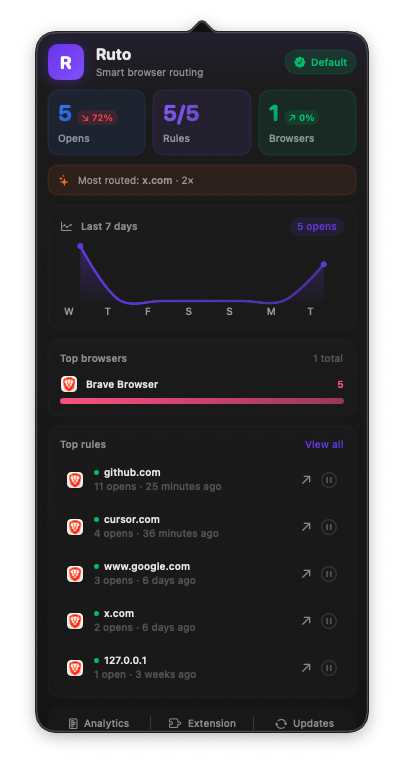
Native macOS UI. Clean, fast, and built with SwiftUI.
Manage all your routing rules in one place. Search, filter, and inspect hit counts.
Three steps from install to routed links.
Ruto becomes your system handler for http/https links and stays in the menu bar. Or use the browser extension to route from any browser.
Add patterns like github.com → Chrome Work, *.notion.so → Safari.
Matching rules open instantly. Ruto does not appear in Cmd+Tab. No match? The picker overlay appears. Option-click for profiles and private mode.
Browser Extension
Right-click any link and choose Open with Ruto. The extension sends the URL to the Mac app, which applies your rules or shows the picker, without changing your default browser.
Context menu
Right-click any link
Native messaging bridge · Secure local token · No data leaves your Mac
Native macOS browser routing. Free, private, and built for power users.
Install with Homebrew (custom tap) or download from GitHub Releases.
On Homebrew 5.0+, brew trust is required once so brew update can refresh the tap and upgrades work.
Requires macOS 15.6 or later. Import bookmarks from Rules → Import, and check for signed updates in Settings → Updates.